Ask ten SEO people for the best SEO tools and you’ll get ten different lists. That’s not because nobody knows. It’s because “best” depends on the job, the size of your site and how much time you have.
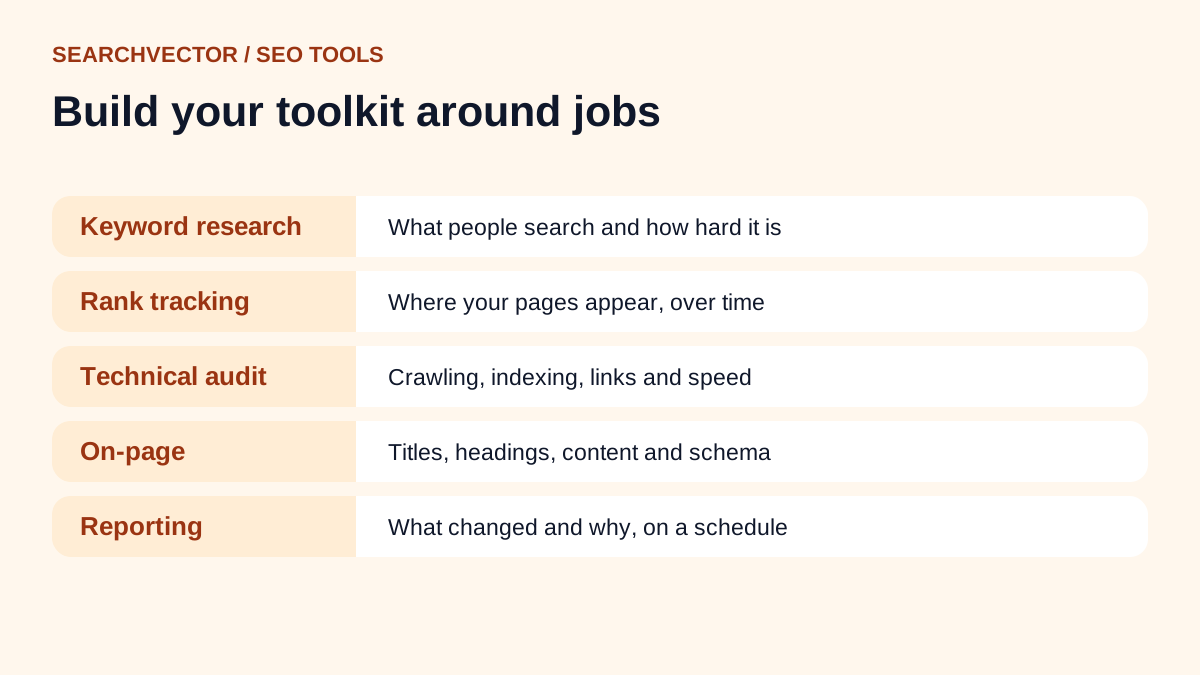
So instead of ranking products, I’ve put this together the way I’d set up a toolkit from scratch. SEO breaks into a handful of jobs. For each one, I’ll explain what you need the tool to do and which free tools cover it, starting with the ones Google gives every site owner.
If you’re just starting out, you can do serious SEO with the free tools on this page. You only need to pay once you’re tracking many pages, sites or clients and the manual work starts to eat your week.
Start with Google’s free tools
Before anything else, set these up. They’re free and they show data no third-party tool can fully replace, because it comes from Google itself.
- Google Search Console shows the searches that bring clicks to your site, which pages are indexed and any problems Google has found. If you only use one SEO tool, make it this one.
- Google Analytics shows what visitors do after they arrive: which pages they read and whether they convert.
- PageSpeed Insights measures how fast a page loads and responds, with Core Web Vitals.
- Google Trends shows how interest in a topic changes over time and by region.
1. Keyword research tools
The job: find the phrases people search, how often they search them and how hard they are to rank for.
What I look for: real suggestions rather than invented ones, search volume, an idea of difficulty and the questions people ask.
Free tools that cover it:
- Keyword research tool for suggestions from Google, YouTube, Bing, Amazon and the app stores in one place.
- Keyword search volume checker to check demand for a list you already have.
- Keyword difficulty checker for a first read on how competitive a phrase is.
- AI keyword research to expand a seed into grouped topic ideas.
2. Rank tracking tools
The job: see where your pages appear for the keywords you care about, and spot changes before they hurt traffic.
What I look for: the right country and device, a history so I can see trends and an easy way to compare with competitors.
Free tools that cover it: the keyword rank checker for quick checks, and the local rank tracker if your customers search near a location. Search Console’s performance report also shows your average position for the searches that already bring impressions.
Once you’re tracking a set of keywords every week, a dashboard saves a lot of copy and paste. SearchVector’s rank tracker keeps the history for you.
3. Technical SEO and site audit tools
The job: find the problems that stop pages from being crawled, indexed or loaded quickly.
What I look for: a clear list of issues with the affected URLs, and an order to fix them in.
Free tools that cover it:
- Site audit to crawl a site and list the issues.
- Google index checker to work through whether Google can discover, crawl and index a page.
- Broken link checker and redirect checker for link and redirect problems.
- robots.txt tester to check what you’re blocking.
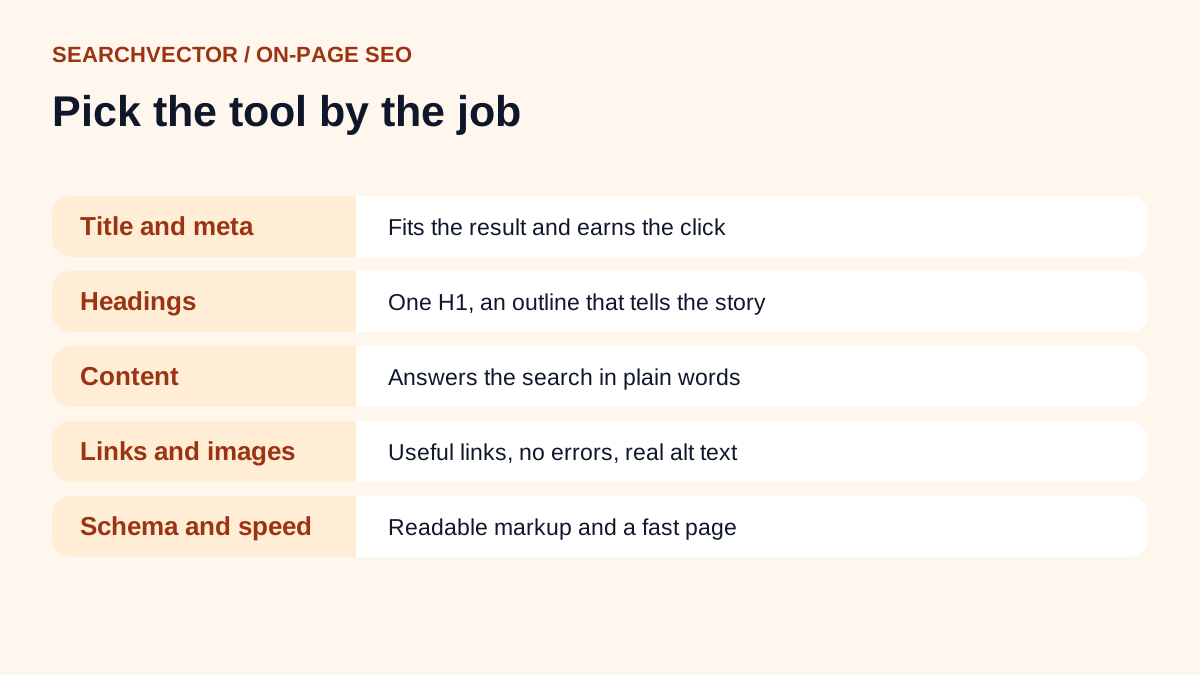
4. On-page SEO tools
The job: make each page clear to readers and search engines: the title, description, headings, content, images and structured data.
Free tools that cover it: the on-page SEO checker for a page and its target keyword, the title and meta checker, the H1 checker and the schema generator. I’ve covered this job in more detail in my guide to the best on-page SEO tools.
5. Competitor and backlink tools
The job: understand who you’re competing with, which keywords they win and who links to them.
Free tools that cover it: the SEO competitor analysis tool to frame keyword and content gaps against rival domains, and the traffic checker for a rough estimate of a site’s organic reach.
6. Content and AI tools
The job: plan, draft and improve content faster without losing quality.
AI writing tools are useful for outlines, first drafts and rewrites. They’re weak at original experience and accurate facts, so I treat everything they produce as a draft to check. Our blog title generator and meta description generator handle the small, repetitive jobs well.
A newer job is thinking about how your brand shows up in AI answers. The AI visibility checker helps you model how a brand may appear across AI answers, citations and category prompts, which is a useful starting point before you check the assistants yourself.
7. Reporting tools
The job: show what changed and why, without spending half a day building a report.
For one site, a monthly look at Search Console and Analytics may be enough. When you manage several projects or report to a client, it’s worth automating. SearchVector connects to Google Search Console on the free plan, and the SEO automation tool can send recurring reports so the review happens without you building it each time.
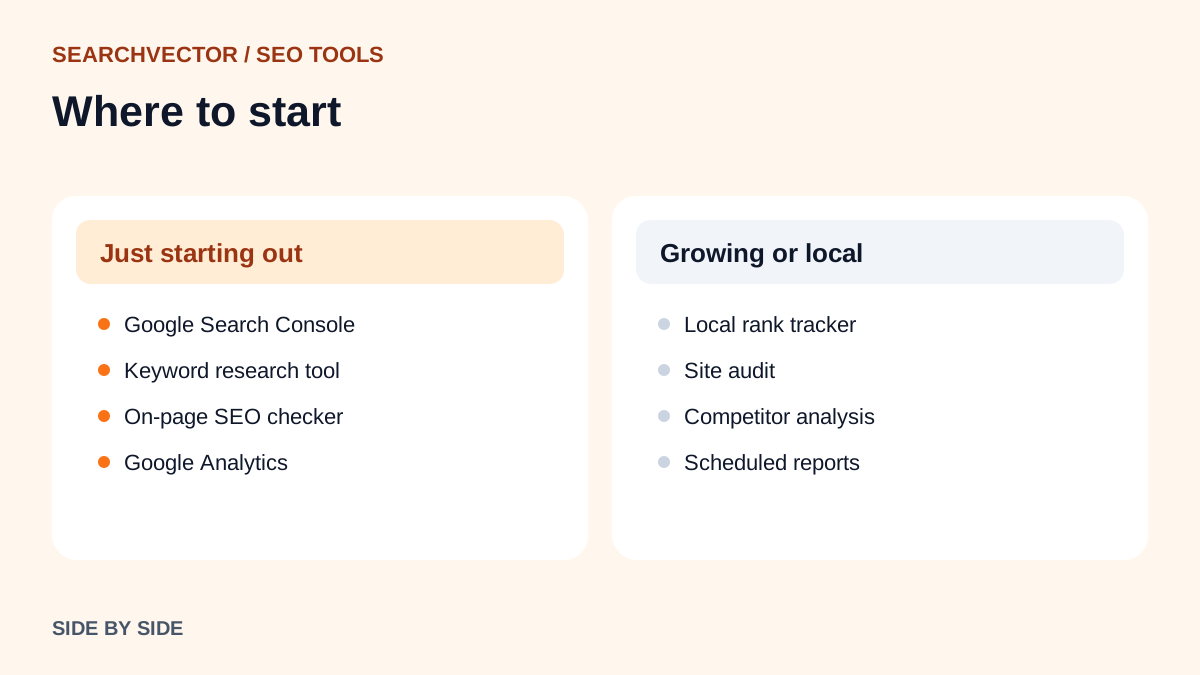
The best SEO tools for your situation
For beginners
Search Console, our keyword research tool and the on-page SEO checker. That’s enough to find what to write, check it’s set up properly and see how it performs.
For small businesses
Add the local rank tracker if customers find you by location, and a Google Business Profile if you serve a local area. Keep an eye on a few keywords that bring paying customers rather than dozens of vanity terms.
For WordPress sites
An SEO plugin makes it easy to edit titles, descriptions and sitemaps from inside WordPress. Pair it with the free checkers above to confirm what the live page actually outputs. Plugins sometimes conflict, and the page source is the final word.
For YouTube creators
YouTube search works differently from Google. Start with the YouTube keyword tool for video ideas and the YouTube rank tracker to see where your videos appear.
When it’s worth paying for an SEO tool
Free tools cover single checks well. Paying makes sense when you need to:
- Track hundreds of keywords over time without manual checks.
- Audit large sites regularly.
- Manage several sites or clients in one place.
- Share reports with a team or client on a schedule.
Before you pay for anything, list the jobs you do every week. Then pick the tool that saves the most time on those jobs, not the one with the longest feature list.
Frequently asked questions
1. What are the 5 best SEO tools?
For most sites I’d start with Google Search Console, Google Analytics, a keyword research tool, a rank checker and a site audit tool. Together they cover research, tracking, technical health and results.
2. Can I do SEO with only free tools?
Yes, especially for a small site. Free tools handle keyword research, on-page checks, indexing and speed. Paid tools mainly save time once you’re working at scale.
3. Which AI tool is best for SEO?
General AI assistants are good for outlines, rewrites and grouping keywords. Use them alongside real search data, because they can’t tell you what people actually search or where you rank.
4. Is SEO still worth it in 2026?
Yes. Search has changed, with AI answers appearing in more places, but people still search for products, services and answers every day. Clear, useful pages that are easy to crawl still win.
5. What is the most important SEO tool?
Google Search Console. It’s free and it’s the only tool that shows how Google itself sees your site and which searches bring you clicks.