Amazon SEO is the work of getting your product to show up, and get picked, when a shopper searches on Amazon. It borrows ideas from Google SEO, but the goal is different. Google wants to send people to a helpful page. Amazon wants to show the product a shopper is most likely to buy.
That one difference explains most of what works. Keywords get you into the right searches. After that, the things that persuade people to buy, like your images, price, reviews and stock, help decide how well you do.
In this guide I’ll go through how Amazon search works, where keywords belong in a listing and the steps I’d follow to improve a product that isn’t getting found. Where I quote numbers or rules, they come from Amazon’s own seller guidance.
How Amazon search works
Amazon describes the shopper’s path in its own Amazon SEO guide as five parts: the search box, search filters, the search results page, sales rank, and Sponsored Products and advertising. Your listing needs to work at each stage.
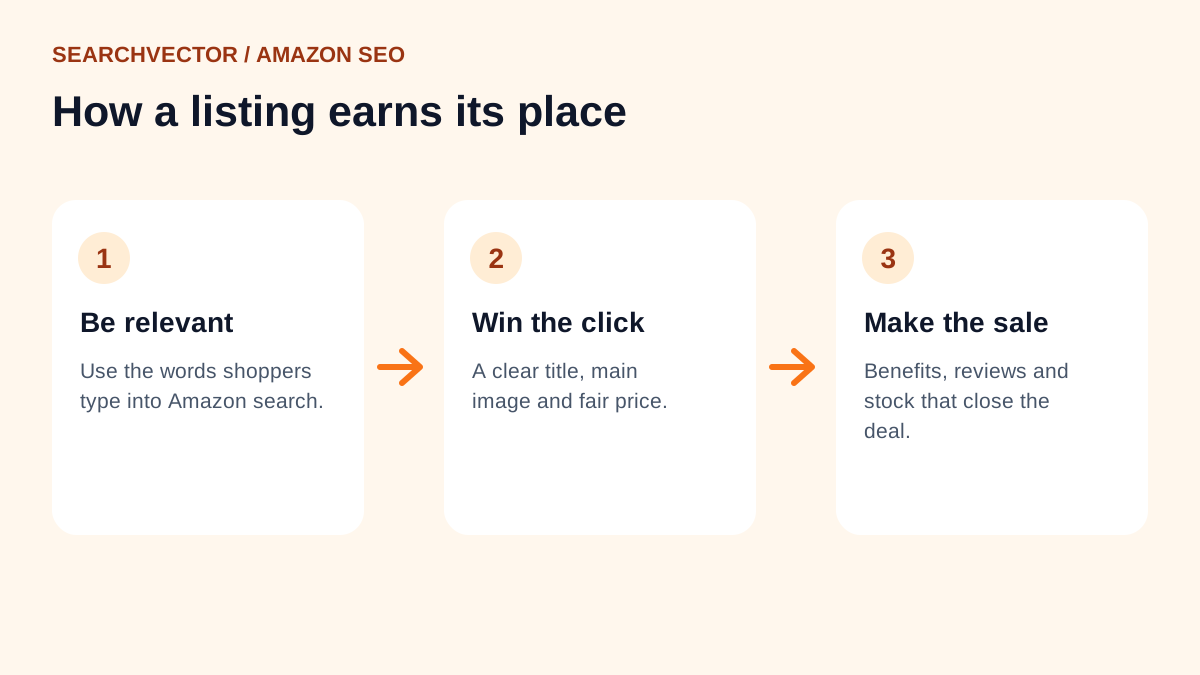
In practice I think of it in two layers:
- Relevance. Does the listing contain the words a shopper typed? If not, it usually won’t appear for that search.
- Performance. Among the relevant listings, which ones do shoppers click and buy? Amazon’s guidance says listing quality and account health can contribute to search rankings, and that a competitive price can improve ranking.
So you can’t keyword-stuff your way to the top. You need the right words to get in, and a listing people actually want to buy from to stay there.
Step 1: Find the words shoppers use
Start with how a shopper would describe your product, not how your supplier does. A “thermal insulated stainless steel beverage container” is a “water bottle” to most people.
The quickest free source is Amazon’s own search bar. Type your main product word and look at the suggestions that appear. Those phrases come from real searches. Our free Amazon keyword tool collects these suggestions for you, so you can review and copy them in one place.
Group what you find:
- Main keyword: the phrase that best describes the product, like “insulated water bottle”.
- Attributes: size, material, colour, count, like “32 oz” or “stainless steel”.
- Use cases and audiences: “for gym”, “for kids”, “for hiking”.
- Synonyms and alternative names: “flask”, “tumbler”, “canteen”.
Keep the list in a spreadsheet with one column for where each phrase will go. It makes the next step much faster.
Step 2: Put each keyword in the right place
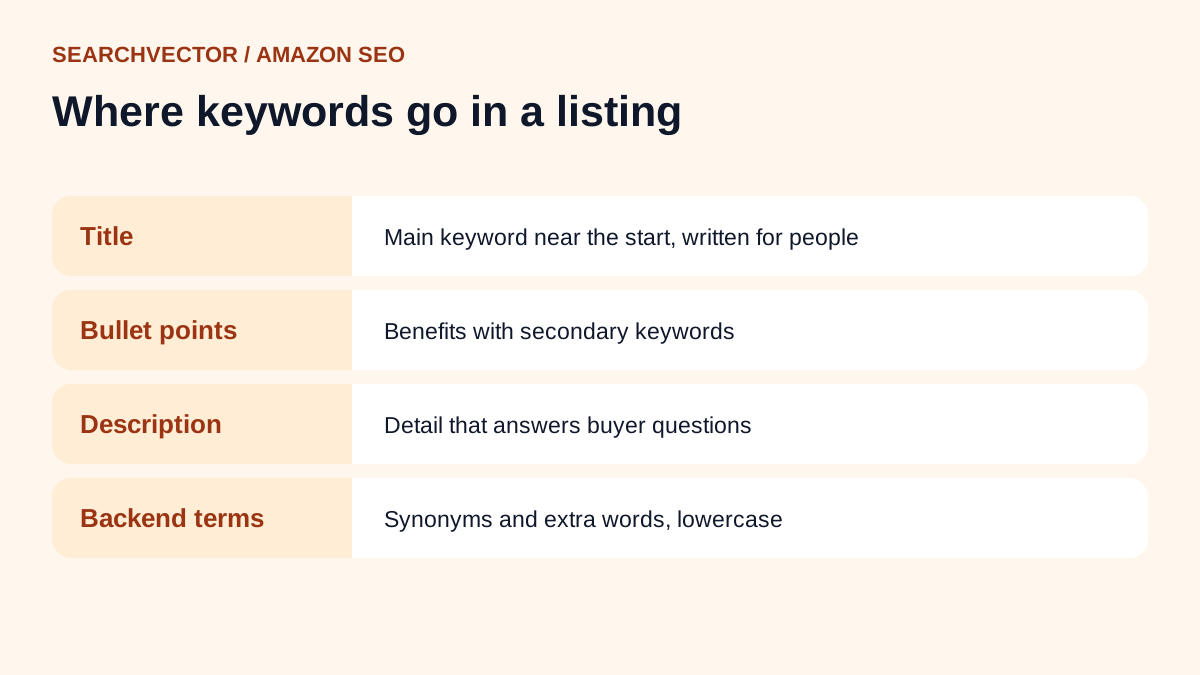
An Amazon listing has a few places for keywords. Each one does a different job.
The product title
The title matters most because shoppers read it and Amazon uses it to match searches. Amazon’s guide says the title limit is 200 characters but recommends no more than 60. Category rules can vary, so check what Seller Central shows for yours.
Put the main keyword near the start, then the details that help someone choose: brand, key attribute, size or count. Write it for a person. “Insulated Water Bottle, 32 oz Stainless Steel, Leak-Proof Lid” reads better than a pile of keywords, and it still covers the important words.
Bullet points
Bullets are where you sell the benefits. Amazon suggests starting each one with a one- or two-word description, then explaining it in 100 characters or fewer. Use your secondary keywords here naturally: materials, use cases, what’s in the box.
The description
The description gives you room for detail: how the product works, care instructions, who it suits. Use your main and secondary keywords where they fit, but write it to answer the questions a careful buyer still has.
Backend search terms
Shoppers never see this field. It’s for relevant words you couldn’t fit elsewhere. Amazon’s guidance for it:
- Use all lowercase letters and separate words with spaces only.
- Include synonyms, abbreviations and alternative names for the product.
- Skip words already used in your title, bullets or description.
- Avoid redundant or irrelevant terms, and skip articles and prepositions.
The field has a length limit that varies by marketplace, so check the limit shown in Seller Central before you fill it.
Step 3: Make the listing convert
Once your listing appears in a search, it competes on what a shopper sees in a split second. These are the parts I’d review:
- Main image: clear, well lit and true to the product.
- Extra images: the product in use, size compared with something familiar, close-ups of the details people ask about.
- Price: competitive for what you offer. Amazon notes that adjusting your price to stay competitive can improve ranking and sales.
- Reviews: read the negative ones and fix the issue in the product or the listing. Many complaints are really about expectations the listing didn’t set.
- Stock: running out of stock interrupts sales, which works against everything above.
Step 4: Choose the right category
The category affects which filters your product appears under and where it shows in Best Sellers Rank. Amazon advises selecting product categories with care. Pick the one a shopper would browse to find your product, not the one with the least competition.
Step 5: Measure and adjust
Amazon SEO isn’t a one-time task. Check your listing’s sessions and conversion rate in Seller Central’s business reports, and note how your product ranks for your main keywords over time.
When something changes, change one thing at a time. If you rewrite the title, swap the main image and drop the price in the same week, you won’t know which one helped.
Common Amazon SEO mistakes
- Stuffing the title until it’s hard to read.
- Repeating the same word in every field instead of adding new ones.
- Using competitors’ brand names in your keywords.
- Writing for the algorithm and forgetting the shopper.
- Ignoring reviews that point to a fixable problem.
Frequently asked questions
1. What is Amazon SEO?
It’s the process of improving a product listing so it appears for relevant searches on Amazon and persuades shoppers to buy. It combines keyword research with a strong title, images, price and reviews.
2. How is Amazon SEO different from Google SEO?
Google ranks pages for how well they answer a question. Amazon ranks products for how likely a shopper is to buy them. Backlinks and blog content matter on Google; sales, conversion and listing quality matter on Amazon.
3. How long does Amazon SEO take to work?
Keyword changes can affect which searches you appear in fairly quickly. Ranking higher takes longer, because it depends on how your listing performs once shoppers see it.
4. Do Amazon ads help organic ranking?
Amazon lists Sponsored Products as one part of how shoppers find products. Ads can bring visits and sales to a new listing, and sales help your listing perform. Treat ads as a way to get started, not a replacement for a strong listing.
5. How much does Amazon SEO cost?
You can do the core work yourself for free: keyword research, writing the listing and improving images. Agencies and paid tools cost more, and prices vary widely, so compare what each one includes before you sign up.