Low-competition keywords are easy to find. The hard part is finding ones that bring people who actually buy, sign up or get in touch. I’ve seen plenty of sites rank first for dozens of easy phrases and get almost nothing from them, because the people searching were never going to become customers.
So this guide has two halves. First, how to find keywords that are realistic for a smaller site to rank for. Second, how to filter those down to the ones with real buying intent. Skip the second half and you’ll just build traffic that doesn’t pay.
What is a low-competition keyword?
It’s a search phrase where the pages currently ranking are weak enough that a newer or smaller site has a fair chance of beating them. That’s it. There’s no official number behind it.
Keyword difficulty scores from SEO tools are a useful shortcut, but they’re estimates. Every tool calculates them differently. I treat a score as a reason to look at the search results myself, not as the final answer.
Most low-competition keywords are long-tail phrases: three or more words, more specific than the broad term. “Running shoes” is a fight with giant retailers. “Running shoes for flat feet on trails” is a much smaller field.
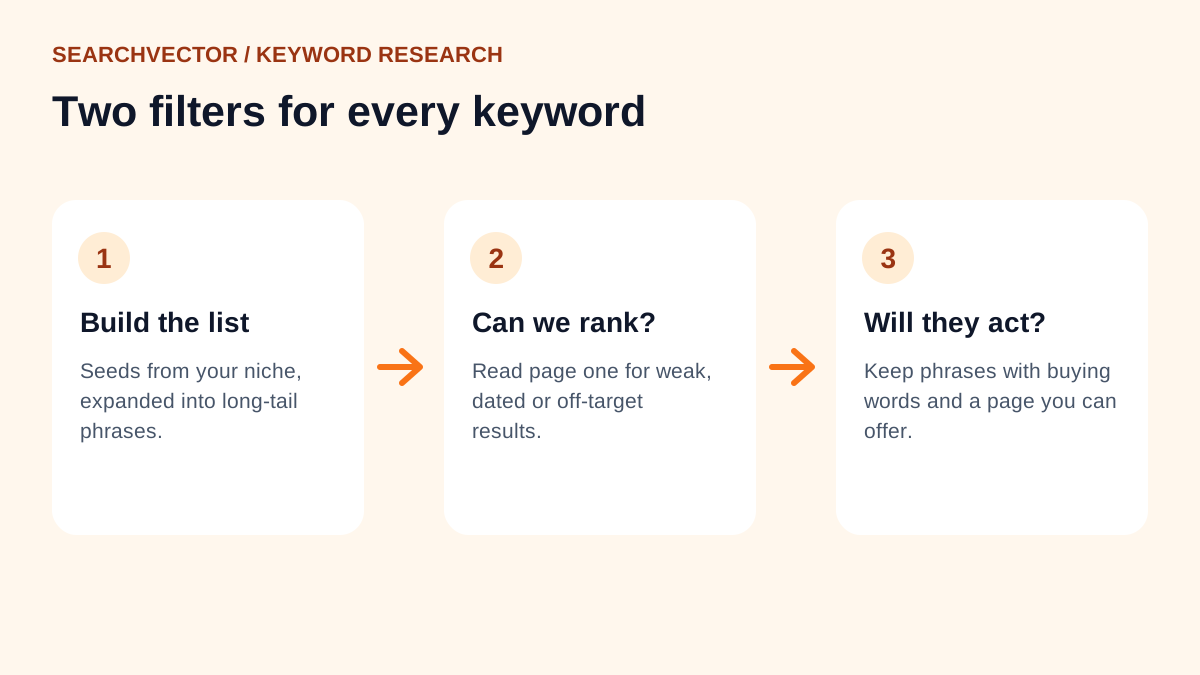
Step 1: Start from your niche, not a tool
Before opening any software, write down 10 to 20 phrases your customers would use. Think about:
- The problem they have, in their words rather than your industry’s jargon.
- The specific situation: who it’s for, where, which size or budget.
- The comparisons they make before buying.
- The questions your sales or support team hears every week.
This list is your seed. It keeps the research focused on your business instead of whatever a tool thinks is popular.
Step 2: Expand the seed into long-tail phrases
Now run each seed through a keyword tool to see the longer variations people search. Our free keyword research tool shows suggestions from Google and other platforms, and the long-tail keyword generator is good for building out specific variations.
Google itself is a free source too. Type your seed into the search bar and note the autocomplete suggestions. Then search it and look at the “People also ask” questions and the related searches at the bottom of the page.
Collect everything in one sheet. Don’t judge yet. At this stage, more is better.
Step 3: Check how hard each one really is
First, get rough numbers. Paste your list into the keyword search volume checker to see demand, and use the keyword difficulty checker for a first read on competition.
Then do the part that tools can’t do for you: search the keyword and read page one. These are the signs that a result is beatable:
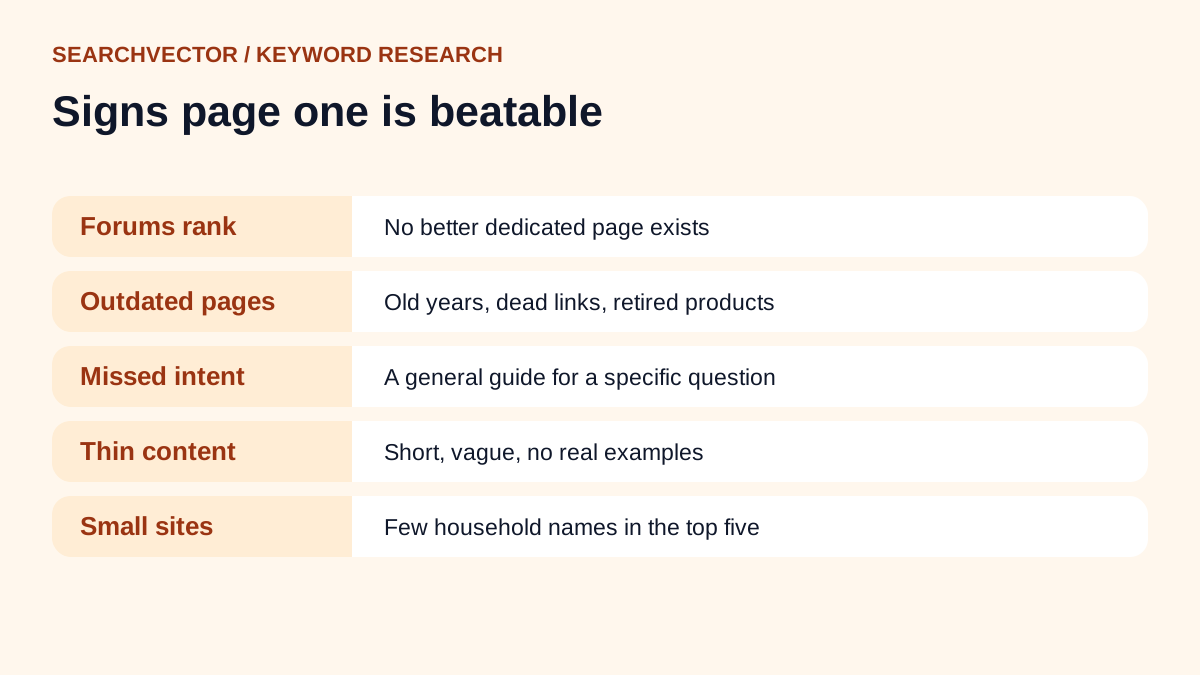
- Forum threads and Q&A pages rank highly. Google is showing them because there isn’t a better dedicated page.
- The top pages are out of date. Old years in titles, discontinued products, dead links.
- The results don’t quite match the search. Someone asks a specific question and gets a general guide.
- The content is thin. A few short paragraphs, no examples, no real detail.
- Few household-name brands appear. Smaller sites in the top five are a good sign that you can get in too.
Our SERP checker shows who ranks for a keyword so you can review the field quickly.
Step 4: Filter for keywords that convert
This is the step most guides skip. A keyword can be easy to rank for and still worthless to your business. I sort every phrase by how close the searcher is to taking action.
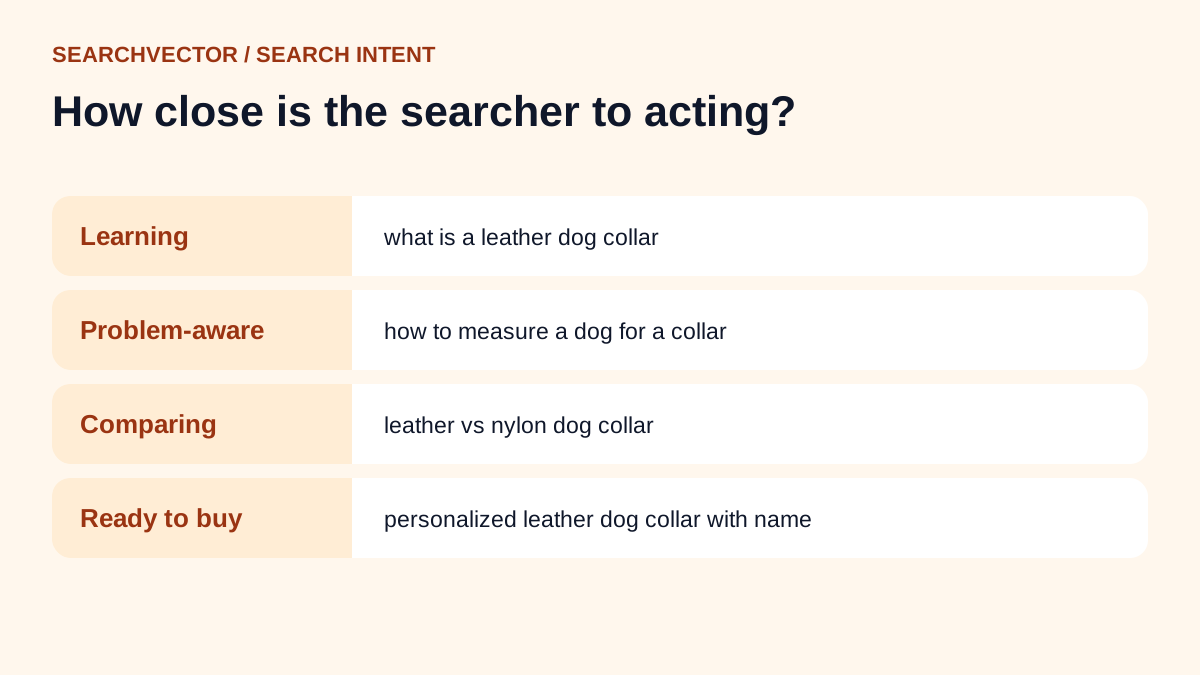
Look for buying words
Some words signal that a person is ready to act: price, cost, hire, buy, near me, best … for, vs, alternative, template, service. Phrases with these words tend to convert better than “what is” questions.
Check the CPC
Cost per click tells you what advertisers pay for the keyword. Businesses don’t pay much for clicks that never turn into sales, so a higher CPC is a decent sign of commercial value. The keyword research tool shows CPC where Google has data.
Match the keyword to a page you can actually offer
A keyword converts only if your page gives the searcher what they came for. If someone searches “invoice template for freelancers” and you sell accounting software, a downloadable template with your product mentioned alongside it can convert. A product page probably won’t.
A worked example
Let’s say I run a small business selling handmade leather dog collars. Here’s how a few phrases from my list would score:
| Keyword | Can I rank? | Will they buy? | Decision |
|---|---|---|---|
| dog collars | No, big retailers own it | Some | Skip for now |
| how to measure a dog for a collar | Yes, mostly forums | Not yet | Write a guide, link to products |
| personalized leather dog collar with name | Maybe, a few shops rank | Yes | Product page, top priority |
| leather vs nylon dog collar | Yes, thin results | Close | Comparison page |
The third and fourth rows are where I’d start. They’re realistic to rank for and they bring people who are already deciding. The guide in the second row is still worth writing because it builds trust and can link to the product pages.
Step 5: Prioritise and track
Put your shortlist in order: high intent and easy first, then high intent and harder, then helpful guides that support them. Publish, link the pages together and give them time.
After a few weeks, check where each page sits. A keyword rank checker shows positions without waiting for monthly reports. Pages stuck on page two often need a better match to the search, not more words.
Mistakes that waste low-competition keywords
- Writing one page for every tiny variation of the same search.
- Chasing zero-volume phrases just because the difficulty is zero.
- Ignoring intent and wondering why traffic doesn’t turn into leads.
- Trusting a difficulty score without reading the actual results.
- Forgetting to link new pages from the ones that already get traffic.
Frequently asked questions
1. What are low-competition keywords?
They’re search phrases where the pages currently ranking are weak enough for a smaller site to compete. They’re usually longer and more specific than broad terms.
2. How can I find low-competition keywords for free?
Use Google’s autocomplete, People also ask and related searches, then check the results by hand. Free tools like our keyword research and difficulty checkers speed up the process.
3. Is low search volume a bad sign?
Not always. A phrase with a small number of searches but clear buying intent can bring more customers than a popular question. Volume estimates are also rough for very specific phrases.
4. How do I find my competitors’ keywords?
Search your main topics and note which sites keep appearing. Then use our SEO competitor analysis tool to frame the keyword and content gaps between your domain and theirs.
5. How long does it take to rank for a low-competition keyword?
It varies with your site’s history and the strength of the page. Some pages move within weeks; others take a few months. Strong internal links and a page that clearly answers the search help most.