Amazon keywords are the words shoppers type into Amazon’s search bar. If your listing doesn’t contain the words someone searches, it usually won’t show up for them, however good the product is.
The tricky part is that shoppers rarely describe products the way sellers do. A seller thinks “ergonomic lumbar support cushion”. A shopper types “back pillow for office chair”. Good keyword research closes that gap.
This guide covers how to find Amazon keywords, how to choose the ones worth using and where to put them. There’s a section for product sellers and one for authors publishing through Kindle Direct Publishing (KDP), because the rules are a little different.
Types of Amazon keywords
Amazon’s seller guide to keyword research describes four types. It helps to know which you’re looking at:
- Short-tail: one or two words, like “water bottle”. Lots of searches, lots of competition.
- Long-tail: three or more words, like “water bottle for kids school”. Fewer searches, clearer intent.
- Branded: include a brand or product name.
- Non-branded: describe the product without any brand name.
For most sellers, non-branded long-tail keywords are where the opportunity is. They describe a specific need, and the shopper is often close to buying.
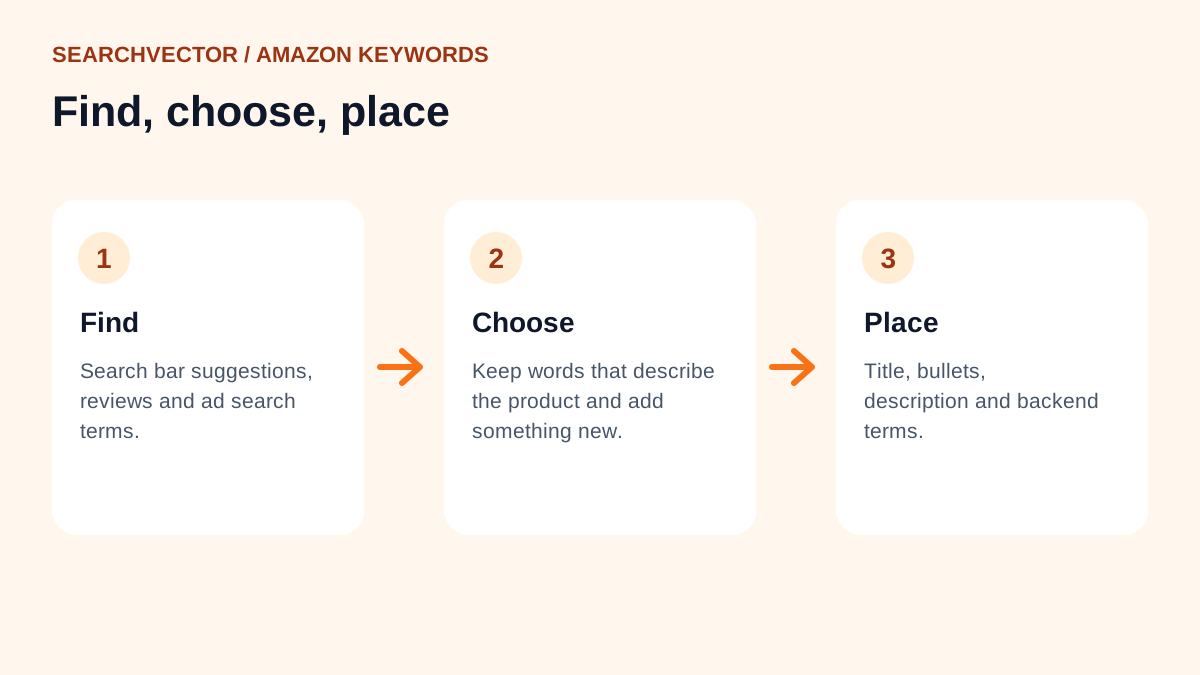
How to find Amazon keywords
1. Start with the Amazon search bar
Type your main product word into Amazon and stop before pressing enter. The suggestions that drop down come from what shoppers search. Try adding letters after your word, like “yoga mat a”, “yoga mat b”, to see more.
Doing this by hand is slow. Our free Amazon keyword tool gathers these suggestions for you and lets you copy the ones you want.
2. Read competing listings and reviews
Search your product and open the top listings. Note the words that keep appearing in their titles and bullet points. Then read reviews, especially the detailed ones. Shoppers describe what they bought in their own words, like “perfect for my small kitchen” or “fits a 15-inch laptop”. Those are keywords.
3. Check search terms from your ads
If you run Sponsored Products ads, the search term report shows the exact searches that led to clicks and sales. It’s one of the most reliable keyword sources you have, because it’s based on real buying behaviour.
4. Look beyond Amazon
Many shoppers research on Google first. Running your product through our keyword research tool can show phrasing you won’t find on Amazon alone, especially questions and comparisons.
How to choose the right keywords
You’ll end up with far more phrases than you can use. Keep a keyword if it passes these checks:
- It accurately describes your product. A keyword that brings the wrong shoppers leads to returns and bad reviews.
- Shoppers actually use it. If it appears in Amazon’s suggestions, that’s a good sign.
- It adds something new. A synonym, a use case or an attribute that your other keywords don’t cover.
Group the survivors: one main keyword, a set of attributes (size, material, colour), use cases and audiences, and synonyms.
Where to put Amazon keywords
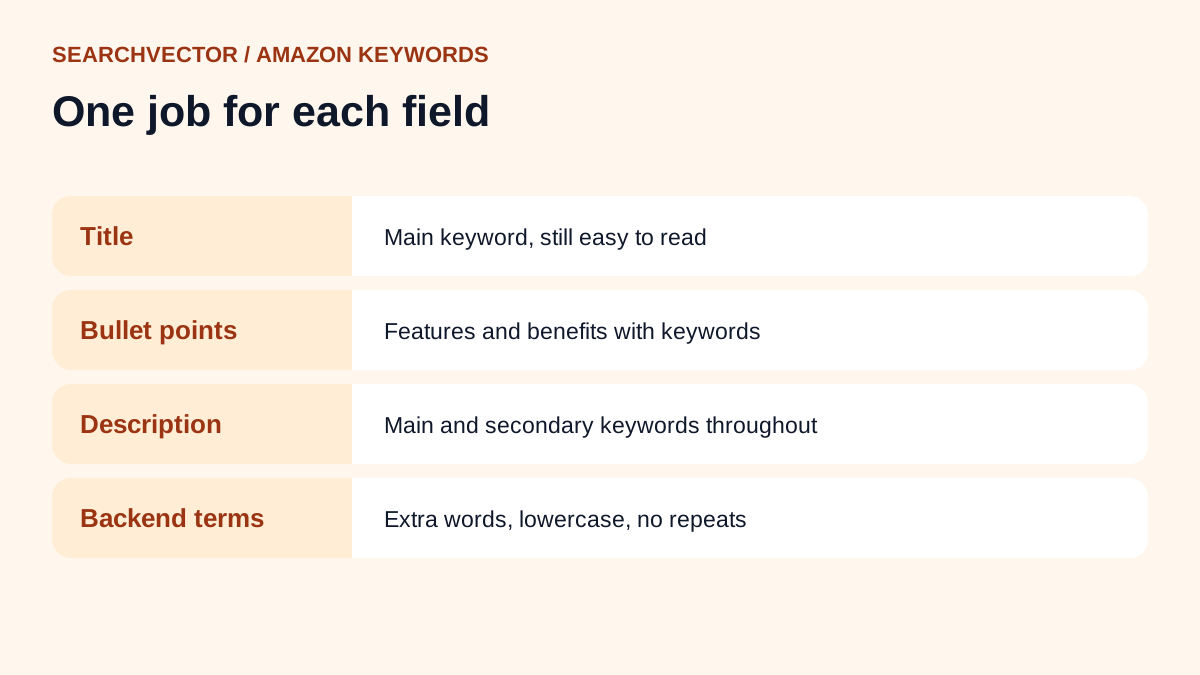
Amazon’s guidance for each part of the listing:
- Title: include your main keyword naturally. The title should still make sense and be easy to read.
- Bullet points: include keywords as you describe features and benefits.
- Description: use your main and secondary keywords throughout.
- Backend search terms: add relevant keywords you couldn’t include elsewhere. Use lowercase and avoid duplicating words already in the title, bullets or description.
I go into each of these in more depth, along with images, pricing and reviews, in my Amazon SEO guide.
Keywords for KDP books
If you publish books through Kindle Direct Publishing, you add keywords when you set up the book. Amazon’s KDP keyword help says to use up to seven keywords or short phrases.
It also suggests thinking like a reader, and lists useful types of keywords:
- Setting, such as “Colonial America”.
- Character types, such as “single dad” or “veteran”.
- Character roles, such as “strong female lead”.
- Plot themes, such as “coming of age” or “forgiveness”.
- Story tone, such as “dystopian” or “feel-good”.
And it lists things to leave out, including:
- Information already in your title, contributors or categories.
- Subjective claims about quality and time-sensitive statements.
- Spelling errors, and variants of spacing, punctuation, capitalisation or plurals.
- Names of authors not associated with your book, or brands you don’t own.
- Amazon program names, such as “Kindle Unlimited”.
Before you publish, Amazon suggests searching the keywords you’re considering on Amazon to see what shows up. If the results are nothing like your book, the keyword probably isn’t right.
Mistakes that hold listings back
- Stuffing the title until it reads like a list.
- Repeating the same words in every field.
- Using keywords that don’t describe the product.
- Adding competitor brand names.
- Setting keywords once and never updating them.
Frequently asked questions
1. What are keywords on Amazon?
They’re the words and phrases shoppers type into Amazon search. Amazon matches those searches to listings that contain relevant words.
2. Where can I find Amazon keywords for free?
Use Amazon’s search bar suggestions, competing listings and customer reviews. A free Amazon keyword tool can gather the search suggestions for you.
3. What are the most popular keywords on Amazon?
Popular searches change with seasons and trends, and broad terms are rarely the best ones for a single product. Focus on the most popular searches in your own category instead.
4. How many keywords can I add to a KDP book?
Amazon’s KDP help says to use up to seven keywords or short phrases, and to watch the character limit shown in each field.
5. Should I repeat keywords in the backend search terms?
No. Amazon advises against duplicating words already in your title, bullet points or description. Use the backend field for extra relevant words instead.