Most of my bad AI answers have the same cause. I typed something like “write a blog intro” and hoped the tool would guess the rest. It never does. It gives me the average of every blog intro it has seen, which is exactly as dull as it sounds.
The prompts that work for me read more like a short brief. They say who the answer is for, what I already have and what I want back. That takes ten extra seconds and saves me three rounds of “no, shorter” and “no, less formal”.
Below are the AI prompt ideas I keep coming back to, sorted by the job they do. Each one is ready to copy. Swap the parts in square brackets for your own details and you’re done.
The simple formula behind a good prompt
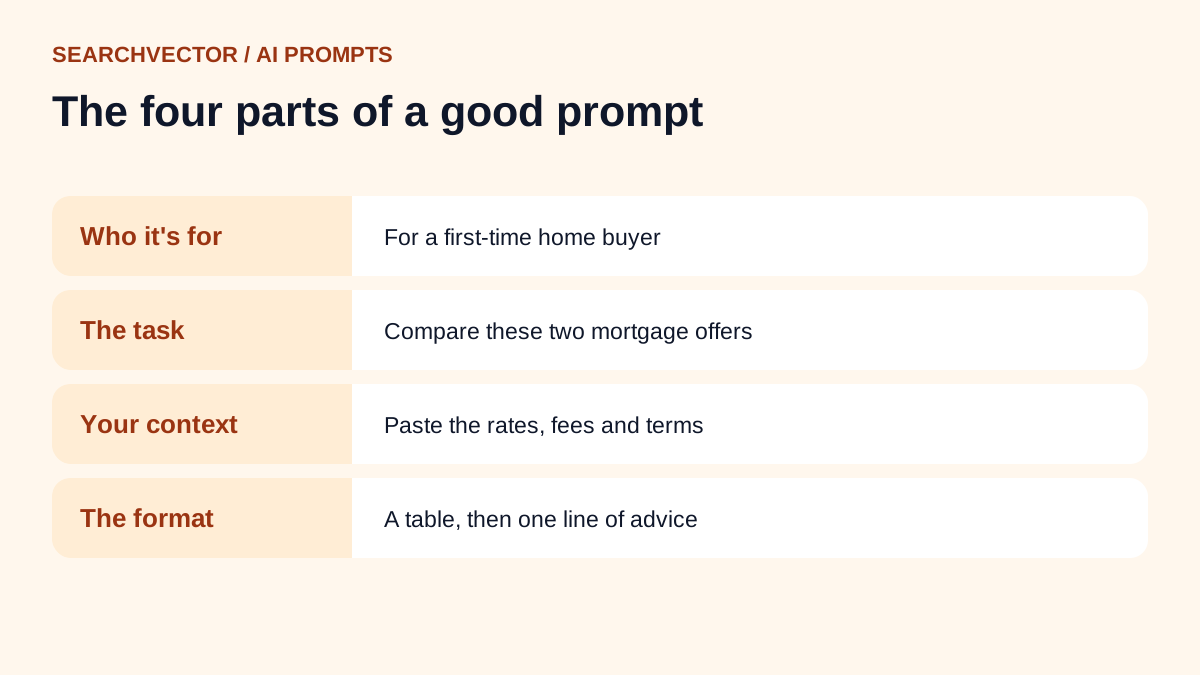
Before the list, here’s the pattern. I don’t follow it like a law, but when an answer comes back flat, one of these four parts is usually missing.
- Who it’s for. “For a first-time home buyer” changes the answer far more than “please be detailed”.
- The task. One clear verb: summarize, rewrite, compare, list, plan.
- Your context. Paste the notes, the draft, the numbers or the rules. The AI can’t read your mind, but it reads pasted text well.
- The format. A table, five bullets, under 100 words, a plain email. Say it, or you’ll get whatever it feels like.
Here’s the difference in practice. “Give me dinner ideas” gets you a generic list. “Give me five vegetarian dinners I can cook in 20 minutes with rice, eggs and frozen peas, as a short list with one line each” gets you something you’ll actually cook tonight.
AI prompt ideas for writing
Writing is where most people start, and where vague prompts hurt the most. These keep the AI working on your draft instead of inventing a new one.
Tighten a draft without losing your voice
Here is a draft I wrote: [paste]. Cut it by about 30% without changing my tone or adding new ideas. Keep my short sentences. Show me the edited version, then list the three biggest cuts you made.
The last line matters. Asking it to list its cuts makes it easy to undo the one you disagree with.
Get honest feedback on a piece
Read this as a busy [reader type] would: [paste]. Tell me where you got bored, what you didn’t understand and the one sentence you’d remove first. Be direct. Don’t rewrite it.
Turn rough notes into a first draft
These are my notes for a [blog post / newsletter / memo]: [paste]. Turn them into a first draft of about [length] words. Use only the points in my notes. Where something is missing, write [ADD DETAIL] instead of making it up.
That “write [ADD DETAIL]” instruction is one of my favourite tricks. It stops the AI from filling gaps with confident nonsense.
Write five headlines that don’t sound the same
Write five headlines for this article: [summary]. Make each one use a different angle: a number, a question, a mistake to avoid, a result and a plain statement. Keep each under 60 characters.
If you need titles for search, our blog title generator does a similar job with SEO length checks built in.
AI prompt ideas for marketing and SEO
This is the work we do every day at SearchVector, so these are the prompts I trust most. They work best when you give them real data rather than asking the AI to guess what people search for.
Group a messy keyword list
Here is a list of keywords: [paste]. Group them by search intent (learn, compare, buy, fix a problem). Put the groups in a table with the intent, the keywords and one page idea that could cover each group.
Pull the list from a real source first. I usually start with our AI keyword research tool and paste the results straight in.
Find the gaps in a page
Here is my page about [topic]: [paste]. A reader searching “[keyword]” wants to [goal]. List the questions they would still have after reading this page, in order of importance.
Write a meta description that earns the click
Write three meta descriptions for a page about [topic] targeting “[keyword]”. Each must be under 155 characters, include the keyword once and give a concrete reason to click. No exclamation marks.
You can also run this through our meta description generator, which counts the characters for you.
Explain a product to a skeptic
I sell [product] to [audience]. Write the five objections a skeptical buyer would have, and a two-sentence honest answer to each. Don’t exaggerate what the product does.
Repurpose one piece into many
Turn this article [paste] into: one LinkedIn post under 150 words, three short social posts and a five-line email to subscribers. Keep the facts exactly as they are in the article.
AI prompt ideas for images
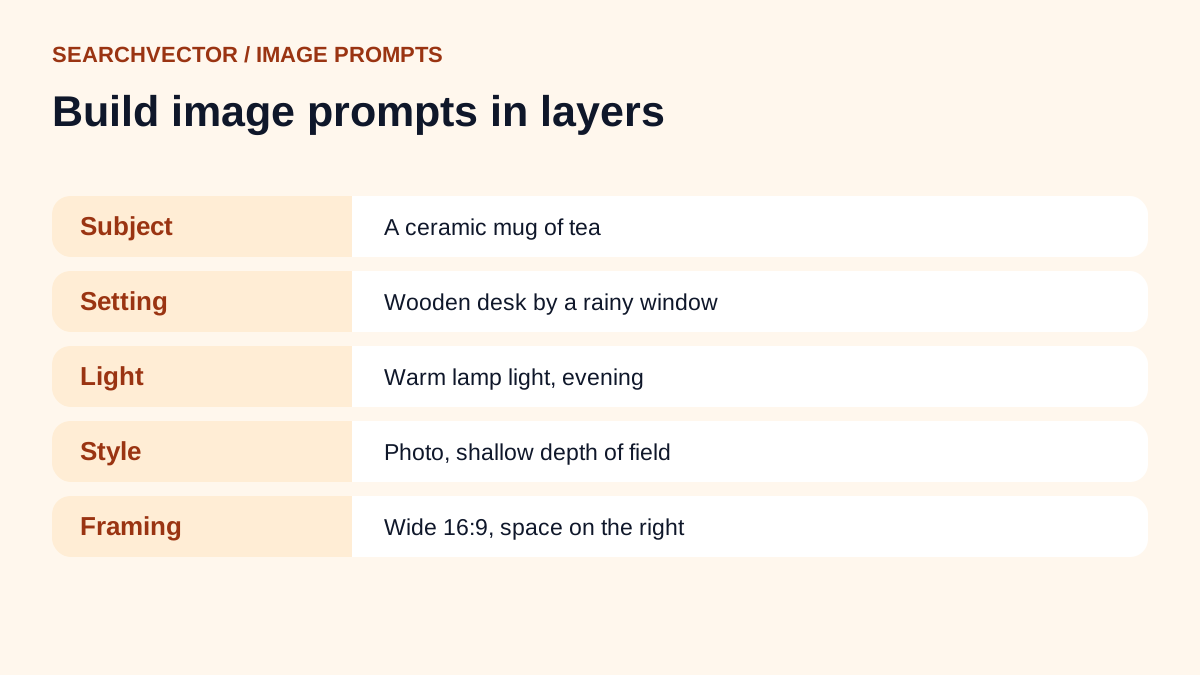
Image prompts reward detail in a different way. Describe what the camera sees: the subject, the setting, the light and the style. Leave out the feelings you want people to have and describe what creates them.
A product photo on a plain background
A [product] on a light grey seamless background, soft daylight from the left, gentle shadow, shot from slightly above, sharp focus, clean commercial product photo.
A cosy scene for a blog header
A small wooden desk by a rainy window, a laptop, a mug of tea and a notebook, warm lamp light, evening, shallow depth of field, wide 16:9 frame with empty space on the right for text.
Asking for “empty space on the right for text” is a small detail that makes a header image far easier to use.
A simple illustration in a fixed style
Flat vector illustration of [scene], limited palette of [three colours], thick outlines, no gradients, no text, white background.
Saying “no text” saves you a lot of retries. Image tools still struggle to spell words inside pictures.
The same character in a new scene
Same character as before: [short description of the character]. Now show them [new action] in [new setting]. Keep the clothes, hair and colours the same.
AI prompt ideas for work and productivity
Turn a long thread into decisions
Here is an email thread: [paste]. Summarize it in three parts: what was decided, what is still open and who needs to do what next. Use names from the thread.
Prepare for a hard conversation
I need to tell [person] that [situation]. Help me plan what to say in under a minute. Then list three ways they might react and a calm reply to each.
Plan a week you can actually finish
Here are my tasks for the week with rough times: [list]. I have about [hours] hours of focused time. Tell me what to drop or delay, then give me a day-by-day plan.
I like this one because it forces a trade-off. Most planning prompts just shuffle an impossible list into a prettier impossible list.
Write the email you keep avoiding
Write a short, polite email to [person] asking for [thing]. I’ve already asked once on [date]. Keep it under 80 words, friendly but clear about the deadline of [date].
AI prompt ideas for learning
Explain it three ways
Explain [concept] three times: once to a 12-year-old, once to a university student and once to an expert in a hurry. Keep each under 100 words.
Quiz me instead of teaching me
I’m learning [topic]. Ask me one question at a time, starting easy. Wait for my answer, tell me if I’m right and why, then make the next question a little harder.
Being asked questions sticks far better for me than reading another explanation.
Find the holes in my understanding
Here is how I understand [topic]: [your explanation]. Point out anything that is wrong or missing. Don’t rewrite it. Just list the problems.
Fun AI prompt ideas
Not every prompt needs to be useful. These are good for a laugh, a party or just getting comfortable with a new tool.
- Write a dramatic movie trailer voice-over for my morning commute.
- Describe my houseplant’s inner thoughts after I forgot to water it for a week.
- Rewrite a boring safety notice as a pirate captain’s speech.
- Invent a board game that uses only a deck of cards and a teaspoon.
- Write a polite complaint letter from a cat to its owner about breakfast timing.
- Give me a two-line poem about every day of the week.
How I fix a prompt that isn’t working
Even good prompts miss sometimes. When that happens I don’t start over. I tell the AI what went wrong, the way I’d give notes to a colleague.
- Too long: “Cut this in half. Keep the first and last point.”
- Too generic: “Use the details from my notes. Remove anything that could apply to any business.”
- Wrong tone: “Make it sound like a friendly text, not a press release.”
- Made-up facts: “Only use facts from what I pasted. Mark anything you’re unsure about.”
- Same structure every time: “Give me three versions that are structured differently.”
The last fix is worth remembering. AI tools fall into habits, like three bullet points and a neat summary every time. Asking for different structures breaks the pattern fast.
Mistakes that make AI answers worse
A few habits reliably lead to weak output:
- Asking for “the best” anything without saying best for whom.
- Pasting nothing and expecting the AI to know your product or numbers.
- Stacking ten requests into one prompt. Split them up.
- Trusting statistics or quotes without checking the source yourself.
- Sharing private customer data or passwords in a chat window.
That last point deserves a second look. Before pasting anything sensitive, check what your AI tool does with your data and whether your workplace allows it.
Frequently asked questions
1. What are some good AI prompts to start with?
Start with tasks you already do: summarizing a long email, tightening a draft or planning your week. You can judge the answer quickly because you know what good looks like.
2. Do these prompts work in ChatGPT, Claude and Gemini?
Yes. They are written in plain language, so they work in any general chat assistant. The answers will differ a little between tools, which is a good reason to try the same prompt in two of them.
3. How long should a prompt be?
As long as it needs to be to cover who it’s for, the task, your context and the format. For a quick question that might be one line. For a draft, it might include a page of pasted notes.
4. Should I save my best prompts?
I do. I keep a plain document with prompts that worked, plus a note about what I changed. Over time it becomes a toolkit that fits the way you work.
5. Can AI prompts help with SEO?
They can help with grouping keywords, outlining pages and drafting titles. They can’t tell you real search demand on their own, so pair them with keyword data from a tool before you decide what to write.